Building an AI Operating Model: A Practical Framework
TLDR
- Model routing by task type is the foundation: Use low/mid-tier models for simple tasks (Q&A, boilerplate, documentation), mid-tier for bounded work (unit tests, small fixes), and high-tier for complex work (architecture, security, production debugging).
- Structural workflow for VS Code: Plan → Generate → Review → Refine → Final Validate. This separates thinking from typing and prevents wasted token execution.
- Companies need enablement, not just licences. Train developers on model selection, context management, prompt patterns, secure usage, and cost awareness.
- Agent mode governance: Require plans before execution, bound task scope, and developer checkpoints. Make usage auditable and repeatable.
- Governance progression: Visibility → Training → Routing → Guardrails → Optimisation. Start with transparency, not restriction. Good habits reduce waste more effectively than blunt controls.
- Measure ROI as “cost per valuable engineering outcome” (shipped features, resolved incidents, cycle time), not tokens consumed.
- Seven-step implementation roadmap: Define task-based routing, set VS Code patterns, create prompt templates, teach context management, establish thresholds, review patterns monthly, and keep premium models available for serious work.
About this series
This is Part 2 of a 2-part series on AI operating models:
- Part 1: The AI Governance Problem — The challenges — governance gaps, token accounting risks, context window mismanagement, and why casual AI adoption no longer works.
- Part 2 (this post): The practical changes — how to implement model routing by task type, build effective enablement programmes, create agent governance rules, and measure AI value against business outcomes.
This post is the implementation guide. If you haven’t read Part 1, start here to understand the “why” behind these changes.
Model routing: use the right tier for the task
Companies need to teach developers how to select models based on the work being done. This should be part of AI coding enablement, not left to individual trial and error.
A practical model-routing pattern could look like this:
| Work type | Recommended model tier | Why |
|---|---|---|
| Simple Q&A | Low / mid | Low risk and low reasoning requirement |
| Boilerplate code | Low / mid | Mostly pattern-based generation |
| README, comments, documentation | Low / mid | Primarily language generation and summarisation |
| Unit test scaffolding | Mid | Needs code awareness, but usually bounded |
| Small bug fixes | Mid | Requires reasoning within a narrow scope |
| Existing code explanation | Mid | Depends on codebase size and context required |
| Refactoring across files | High | Requires consistency, dependency awareness, and reasoning |
| Architecture design | High | Ambiguous, trade-off-heavy, and context-sensitive |
| Security review | High | High consequence if the model misses something |
| Production issue analysis | High | Time-sensitive and high impact |
| Final PR review | High | Quality gate before merge |
| Agentic multi-step coding | High, but bounded | Can burn tokens quickly without scope control |
This table is not about forcing developers into weaker tools. It is about protecting the strongest tools for the work where they create the most value.
A useful principle is:
Premium models should be an escalation path and quality gate, not the default execution engine for every prompt.
The VS Code workflow needs structure
Most developers are now interacting with AI directly inside VS Code or another IDE. That is powerful because the assistant can see files, selections, diagnostics, terminal output, and repository context. It is also dangerous because a poorly scoped agent session can consume a large amount of context and credits before anyone notices.
The default workflow should not be “ask the most powerful model to do everything.”
A better workflow is:
Plan → Generate → Review → Refine → Final Validate
| Step | Model tier | Purpose |
|---|---|---|
| Plan | Mid / high | Clarify the approach before burning tokens on implementation |
| Generate | Mid | Produce the first version of the change |
| Review | High | Check correctness, edge cases, maintainability, and risk |
| Refine | Mid | Apply specific corrections and improvements |
| Final validate | High | Perform final reasoning and confidence check before merge |
This workflow is important because it separates thinking from typing.
Developers often waste tokens because they ask the AI to execute before they have forced it to explain the plan. For small changes, that may not matter. For multi-file changes, migrations, refactors, test rewrites, or infrastructure-as-code updates, it matters a lot.
Before allowing an agent to modify files, the developer should ask for a plan first:
Do not change any files yet.
Review the relevant files and propose an implementation plan.
List the files you expect to modify, the risk areas, and the tests that should be run.
Wait for confirmation before editing.
That small habit prevents a lot of wasted execution.
Companies need AI coding enablement, not just licences
Many organisations have invested in Copilot licences but have not invested enough in operating practices.
A licence gives access. It does not teach:
- how to choose the right model
- how to manage context windows
- how to write scoped prompts
- how to use agent mode safely
- how to evaluate AI-generated code
- how to avoid leaking sensitive data into prompts
- how to measure productivity against AI spend
- how to decide when a premium model is justified
- how to use AI for review rather than just generation
This is where engineering leadership needs to step in.
A good enablement programme should include:
| Training module | What it should cover |
|---|---|
| Model selection | Which model tier to use for different engineering tasks |
| Token and credit basics | How input, output, cached tokens, and context affect cost |
| Context management | How to attach files, use selections, avoid context pollution, and start clean sessions |
| Prompt patterns | How to define context, constraints, expected output, and definition of done |
| Agent mode | How to scope agentic tasks, review diffs, and apply checkpoints |
| Code review with AI | How to use AI as a reviewer without outsourcing accountability |
| Secure usage | Data classification, secrets, customer data, and policy boundaries |
| Cost awareness | How to read usage dashboards and understand burn patterns |
| Team playbooks | Standard prompts and workflows for common engineering activities |
The outcome should be a shared engineering language around AI usage.
Without that, each developer invents their own workflow. Some will be careful and effective. Others will burn tokens, generate noisy changes, and create review burden.
Prompt templates for common work
Provide internal templates for:
- bug investigation
- unit test creation
- pull request review
- infrastructure-as-code review
- security review
- code explanation
- migration/refactor planning
- documentation generation
When developers have a template, they are more likely to be structured. Structured prompts lead to fewer retries, better output, and lower cost.
Context management discipline
Developers should understand that adding more context is not always better. The skill is to provide the minimum relevant context needed for a good answer.
This is a learned behaviour. It requires training and team reinforcement.
A practical enterprise usage policy
Here is a simple policy that organisations can adapt.
AI model usage policy for VS Code and Copilot
| Rule | Policy |
|---|---|
| Default model | Use a mid-tier or auto-selected model for normal development work |
| Premium model use | Allowed for complex, ambiguous, high-risk, or high-value work |
| Agent mode | Must start with a scoped plan before execution for non-trivial changes |
| Large refactors | Premium model permitted, but task must be broken into bounded steps |
| Context window | Use default context for everyday tasks; extend only for large multi-file analysis |
| Reasoning level | Use regular reasoning by default; increase for architecture, debugging, and complex analysis |
| Token threshold | Above an agreed threshold, require a brief justification or work item reference |
| Budget control | Use enterprise, cost centre, and user-level budgets where available |
| Review | Monthly review of usage, outcomes, cycle time, and rework |
| Enablement | Provide prompt templates, examples, and internal office hours |
| Measurement | Track usage by model, workflow, repository, and delivery outcome |
This does not create heavy bureaucracy. It creates a minimum viable operating model.
The right governance model: visibility before restriction
The first instinct in many organisations will be to restrict usage aggressively. That may reduce cost, but it can also damage adoption and push teams back into old ways of working.
A better pattern is:
Visibility → Training → Routing → Guardrails → Optimisation
| Stage | Focus | Outcome |
|---|---|---|
| Visibility | Understand who is using what, where, and why | Baseline usage and cost patterns |
| Training | Teach model selection, prompting, context, and agent workflows | Better usage behaviour |
| Routing | Define recommended model tiers by task | Lower waste without reducing quality |
| Guardrails | Apply budgets, approval paths, and thresholds | Controlled spend and accountability |
| Optimisation | Review outcomes and refine policy | Better cost-to-value ratio over time |
The goal is not to punish heavy users. Some heavy users may be creating significant value. The goal is to distinguish high-value usage from avoidable waste.
A developer using premium models to resolve a production outage, accelerate a migration, or perform a critical security review should not be treated the same as someone burning credits on vague exploratory prompts.
That distinction requires visibility.
How to measure ROI
One of the weakest areas in AI adoption is measurement. Most organisations can measure licence cost. Fewer can measure delivery impact.
A better ROI model should combine platform usage with engineering outcomes.
| Metric | What it tells you |
|---|---|
| AI Credits consumed by model | Which models drive cost |
| Usage by repo/team | Where adoption is concentrated |
| Agent sessions per work item | Whether agent mode is being used deliberately |
| PR cycle time | Whether AI is reducing delivery friction |
| Review comments and rework | Whether AI output is increasing or reducing review burden |
| Defect escape rate | Whether quality is improving or degrading |
| Test coverage changes | Whether AI is helping with validation |
| Developer satisfaction | Whether developers feel faster or more burdened |
| Cost per accepted PR | A rough but useful economic signal |
| Cost per resolved incident or feature | Better alignment to business outcome |
The most useful metric is not “tokens consumed” in isolation.
It is:
AI cost per valuable engineering outcome.
That could be a shipped feature, resolved incident, completed migration story, closed security finding, or reduced technical debt item.
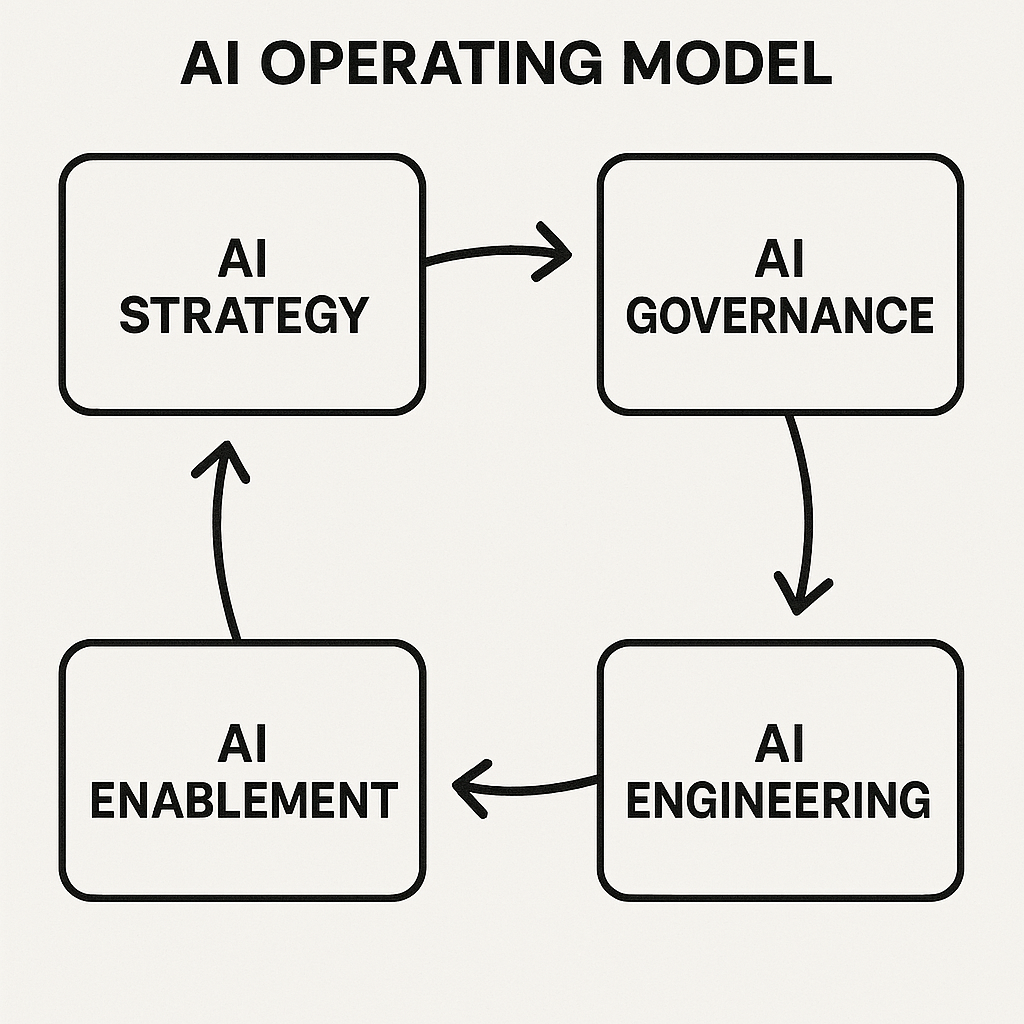
My recommended operating model
If I were setting this up inside an enterprise engineering environment, I would use the following approach.
1. Define task-based model routing
Publish a simple table that tells developers which model tier to start with for common activities.
Do not make this overly complex. A one-page guide is more useful than a 40-page policy.
2. Set a default VS Code pattern
Use a standard flow:
Plan first. Generate second. Review with a stronger model. Refine. Final validate.
This gives developers a repeatable way to use AI without handing over control.
3. Create prompt templates
Provide internal templates for:
- bug investigation
- unit test creation
- pull request review
- infrastructure-as-code review
- security review
- code explanation
- migration/refactor planning
- documentation generation
4. Teach context management
Developers should understand that adding more context is not always better. The skill is to provide the minimum relevant context needed for a good answer.
5. Put thresholds in place
For example:
| Threshold | Action |
|---|---|
| 70% of monthly allowance | Notify the user and team lead |
| 90% of allowance | Recommend usage review and model-routing check |
| Above agreed limit | Require work item, incident, or delivery justification |
| Repeated overage | Review workflow, not just spend |
The point is not to shame usage. It is to understand whether the usage is intentional.
6. Review patterns monthly
A monthly AI usage review should cover:
- which teams are using premium models most
- whether high usage maps to high-value work
- whether agent mode is being used safely
- where training is needed
- whether budgets need adjustment
- whether default models should change
7. Keep premium models available
Do not remove premium models from serious engineers doing serious work. That would be counterproductive.
Instead, make premium usage deliberate.
The leadership position
The right position is balanced:
We absolutely need strong models. But we also need an operating model. Without one, the best users will self-manage, while the majority will burn quota through poor prompting, default premium model usage, and unbounded agent runs. A simple model-routing framework gives us both productivity and cost control.
That is the argument I think companies need to make now.
Not “use cheap models.”
Not “let everyone use the most expensive model all the time.”
But:
Use the right model, with the right context, for the right task.
That is how AI coding tools become a sustainable engineering capability rather than a noisy cost line.
Practical checklist for engineering leaders
| Question | Why it matters |
|---|---|
| Do we know which models our developers are using most? | Without visibility, cost control is guesswork |
| Do developers understand AI Credits, tokens, and context windows? | Billing now maps more closely to actual usage |
| Do we have model-routing guidance? | Prevents premium models being used as the default for low-value work |
| Do we have prompt templates? | Reduces retries and inconsistent output quality |
| Do we have rules for agent mode? | Agentic workflows can consume rapidly if unbounded |
| Do we review AI-generated code consistently? | AI does not remove engineering accountability |
| Do we track usage against delivery outcomes? | Spend must be connected to value |
| Do we have budget thresholds? | Enables control without blocking useful work |
| Do we train teams continuously? | Tool capability is changing too quickly for one-off enablement |
| Do we treat premium models as quality gates? | Keeps high-end reasoning available where it matters most |
Closing thought
AI-assisted engineering is not going away. But the next phase will favour teams that know how to operate it properly.
The winners will not be the teams with the largest token quota.
The winners will be the teams that know when to spend it.
Go back to Part 1
← Back to Part 1: The AI Governance Problem
If you missed Part 1, it covers the governance challenges and risks that make this framework necessary.
References
- GitHub Blog: GitHub Copilot is moving to usage-based billing
- GitHub Docs: Models and pricing for GitHub Copilot
- GitHub Docs: Usage-based billing for individuals
- GitHub Changelog: Larger context windows and configurable reasoning levels for GitHub Copilot
- GitHub Docs: AI model comparison
- GitHub Changelog: Copilot code review will start consuming GitHub Actions minutes on June 1, 2026
Author’s note
This post was co-written with AI assistance. I used GitHub Copilot to help structure the framework, develop the policies and checklists, and refine the prose. The implementation approach and operating model are my own, informed by engineering leadership experience. AI was valuable in articulating practical implementation steps clearly.